
Launch Your Mobile Golf Simulator Business
Categories: Golf Simulator
About Course
Learn How to Launch a Profitable Mobile Golf Simulator Business
Everything you need to start, grow, and get booked fast.
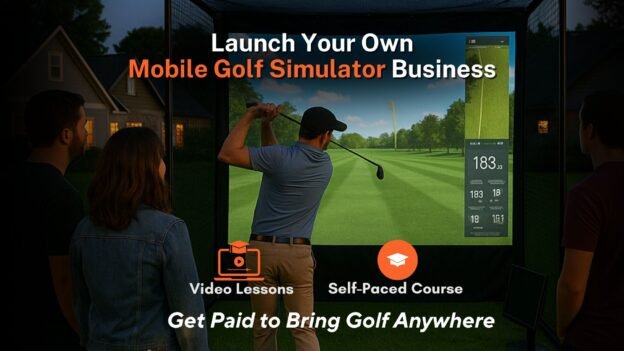
Ready to turn your love of golf into a real income stream? This step-by-step online course teaches you exactly how to launch your own mobile golf simulator business — whether you’re starting from scratch or looking to grow faster with proven strategies.
Course Content
Welcome
-
How to navigate this course
03:36:43
Introduction & Business Introduction
-
Lesson 1.1: Welcome & What You’ll Learn
-
Lesson 1.2: What is a Mobile Golf Simulator Business?
-
Lesson 1.3: Who This Business is For (and Who It’s Not)
-
Lesson 1.4: Business Models (Hourly Events, Parties, Lessons, Partnerships)
-
Lesson 1.5: The Customer Experience Journey
Equipment, Software, & Setups
-
Lesson 2.1: Choosing the Right Golf Simulator
-
Lesson 2.2: Launch Monitor Comparison & Recommendations
-
Lesson 2.3: Software Overview
-
Lesson 2.4: Mobile Enclosure Options (Inflatables, Trailers, Indoor Pop-Ups)
-
Lesson 2.5: Power, Networking, and Environmental Factors
-
Lesson 2.6: Optional Add-Ons (TVs, Leaderboards, Lights, Sound, Branding)
Planning & Business Setup
-
Lesson 3.1: Business Formation (LLC, Insurance, EIN, Bank Account)
-
Lesson 3.2: Licenses & Legal Considerations
-
Lesson 3.3: Business Budget & Startup Costs Breakdown
-
Lesson 3.4: Booking Software & Calendar Management
-
Lesson 3.5: Creating a Mobile Setup Checklist & Loadout Plan
Branding, Website, & Online Presence
-
Lesson 4.1: Naming Your Business + Domain Tips
-
Lesson 4.2: Branding (Logo, Colors, Style)
-
Lesson 4.3: Creating a High-Converting Website
-
Lesson 4.4: Social Media Setup (Instagram, Facebook, TikTok)
-
Lesson 4.5: Creating a Launch Teaser & Pre-Launch Hype
Marketing & Getting Bookings
-
Lesson 5.1: Identifying Local Market Opportunities
-
Lesson 5.2: Pricing Strategies & Packages
-
Lesson 5.3: Creating an Irresistible Offer (First-Time Discounts, Freebies)
-
Lesson 5.4: Local Advertising (Google, Flyers, Golf Courses)
-
Lesson 5.5: Leveraging Events, Parties, and Corporate Gigs
-
Lesson 5.6: Building Partnerships with Golf Courses, Bars, and Instructors
Operating Your Mobile Simulator
-
Lesson 6.1: Day-of-Event Setup Walkthrough
-
Lesson 6.2: Managing Events Like a Pro (Customer Experience Tips)
-
Lesson 6.3: Common Tech Issues and Fixes
-
Lesson 6.4: Safety and Liability Best Practices
-
Lesson 6.5: Collecting Payments and Feedback On-site
Scaling Your Business & Growing
-
Lesson 7.1: Hiring Staff and Training Them
-
Lesson 7.2: Expanding to Multiple Units
-
Lesson 7.3: Creating Repeat Business and Membership Offers
-
Lesson 7.4: Tracking Metrics and ROI
-
Lesson 7.5: Franchising or Licensing Your Model (Optional)
Module 8: Bonus Material
-
Lesson 8.1: Mobile Simulator Tour (Behind-the-Scenes Video)
-
Lesson 8.2: Real-World Setup Timelapse
-
Lesson 8.3: Downloadable Templates (Booking Sheet, Loadout Checklist, Event Contract, Waiver)
-
Lesson 8.4: Student Case Study Walkthroughs
Mastering Customer Experience
-
Lesson 9.1: Creating a Memorable First Impression
-
Lesson 9.2: Hosting Like a Pro: How to Engage Players of All Skill Levels
-
Lesson 9.3: Adding Wow-Factor with Music, Announcements, and Visuals
-
Lesson 9.4: Handling Difficult Clients or Event Issues
-
Lesson 9.5: Post-Event Follow-Up for Repeat Business and Reviews
Advanced Marketing Tactics
-
Lesson 10.1: Email Marketing and Retargeting Campaigns
-
Lesson 10.2: Google Business Profile Optimization
-
Lesson 10.3: Running Paid Ads on Facebook and Instagram
-
Lesson 10.4: Creating Viral Content with Sim Footage
-
Lesson 10.5: Leveraging Testimonials and Reviews to Build Trust
Winter Strategy & Off-Season
-
Lesson 11.1: Hosting Indoor Events at Bars, Offices, and Malls
-
Lesson 11.2: Partnering with Indoor Sim Venues for Commissions
-
Lesson 11.3: Offering Lessons, League Play, or Virtual Tournaments
-
Lesson 11.4: Selling Seasonal Packages or Gift Cards
-
Lesson 11.5: Preparing for a Strong Spring Re-Launch
